ChatGPT Wrapped

Spotify started the yearly “wrapped” trend back in 2016 giving you a roundup / overview of your music listening habits over the year, but now many other services are doing a “wrapped” style roundup with Apple Music, YouTube and even Lidl supermarket did one for your 2025 annual shopping habits in their Lidl plus app!

ChatGPT also added a specific “Your Year with ChatGPT” option where you could see your activity over the year which highlights the number of conversations, messages, topics explored etc (tip: type “Your Year with ChatGPT” into a prompt and it will generate this for you).

Whilst it’s interesting to see the various activity within ChatGPT one thing they don’t highlight are the resources that were used in the process, e.g. things like energy, water, CO2 emissions.

The resource usage of AI / AI data centres is a huge topic and it is difficult to get clear details of exactly how much energy is being consumed when you enter a prompt into ChatGPT, there have definitely been some extremely exaggerated figures of water usage thrown around but equally there is a lack of clear transparency from companies like OpenAI, Anthropic, Microsoft etc.

Despite this challenge I thought it would be good to have an alternative ChatGPT “wrapped” tool and at least attempt to help us see how our usage of ChatGPT measures up. The figures I’ve used are based on general data about AI usage / data centres so not strictly what ChatGPT uses so you could swap out “ChatGPT and insert the name of whichever AI company you might be using.

(Note I’ve included some specific info below the tool in “How are these calculated?“, if you disagree or have any better statistics then please do leave a comment, I’m trying to base this on real data which as I’ve said is a little hard to ascertain exact numbers).

So, finally, I present my version of “ChatGPT Wrapped”:

Your ChatGPT Wrapped

How are these calculated?

Estimates in this tool are based on publicly available research into large language model inference, data centre electricity use, cooling infrastructure, and agricultural water footprints.

Independent investigations have shown that the environmental footprint of an individual AI query can vary significantly depending on the model used, data centre location, cooling method, and electricity grid. As a result, no single โ€œper-queryโ€ value can be considered definitive.

To make these comparisons concrete, this tool uses the following per-query assumptions:

  • Energy: ~0.0005 kWh per ChatGPT query (0.5 watt-hours)
  • Water: ~0.005 litres per ChatGPT query (5 millilitres)
  • COโ‚‚: ~0.0003 kg per ChatGPT query (0.3 grams)

Values shown are mid-range averages intended for awareness and comparison, not precise accounting.

You may see much lower water-use figures quoted elsewhere, including estimates from OpenAI that focus on direct, on-site cooling water at highly optimised data centres. This tool uses broader, system-level estimates that also account for indirect water use associated with electricity generation and supporting infrastructure.

In addition, real-world AI usage varies widely. Simple text prompts typically require less compute than image generation, longer conversations, or multi-step analysis. The values shown here are intended to reflect an average across a mix of common usage patterns rather than a best-case scenario.

Why do these numbers vary?

AI systems donโ€™t operate in a single, fixed environment. The resources required to generate a response depend on where and how that response is produced, and on the wider systems that support it. For this reason, estimates of energy, water, and emissions are best understood as ranges rather than exact values. The figures shown here are mid-range estimates intended to provide context, not precise measurement.
iPhone view of 2025

Here is my annual “iPhone view” video for 2025. All images were either taken directly with my iPhone, screenshot or copied onto it in 2025, these are then compiled together into a video.

The audio track is self-composed in GarageBand, with sound samples from Steve Jobs commencement speech at Stanford in 2005.

This year the video is approximately 2 minutes and 3 seconds long.

There are now 16 years(!) of “iPhone view” videos in my “iPhone view…” playlist.

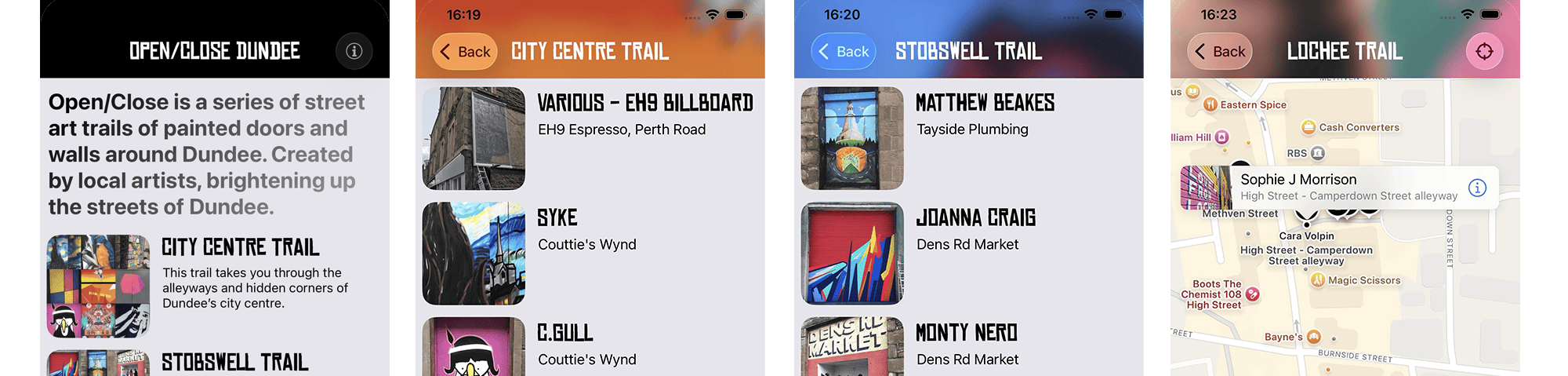
Open/Close iOS app – now FREE

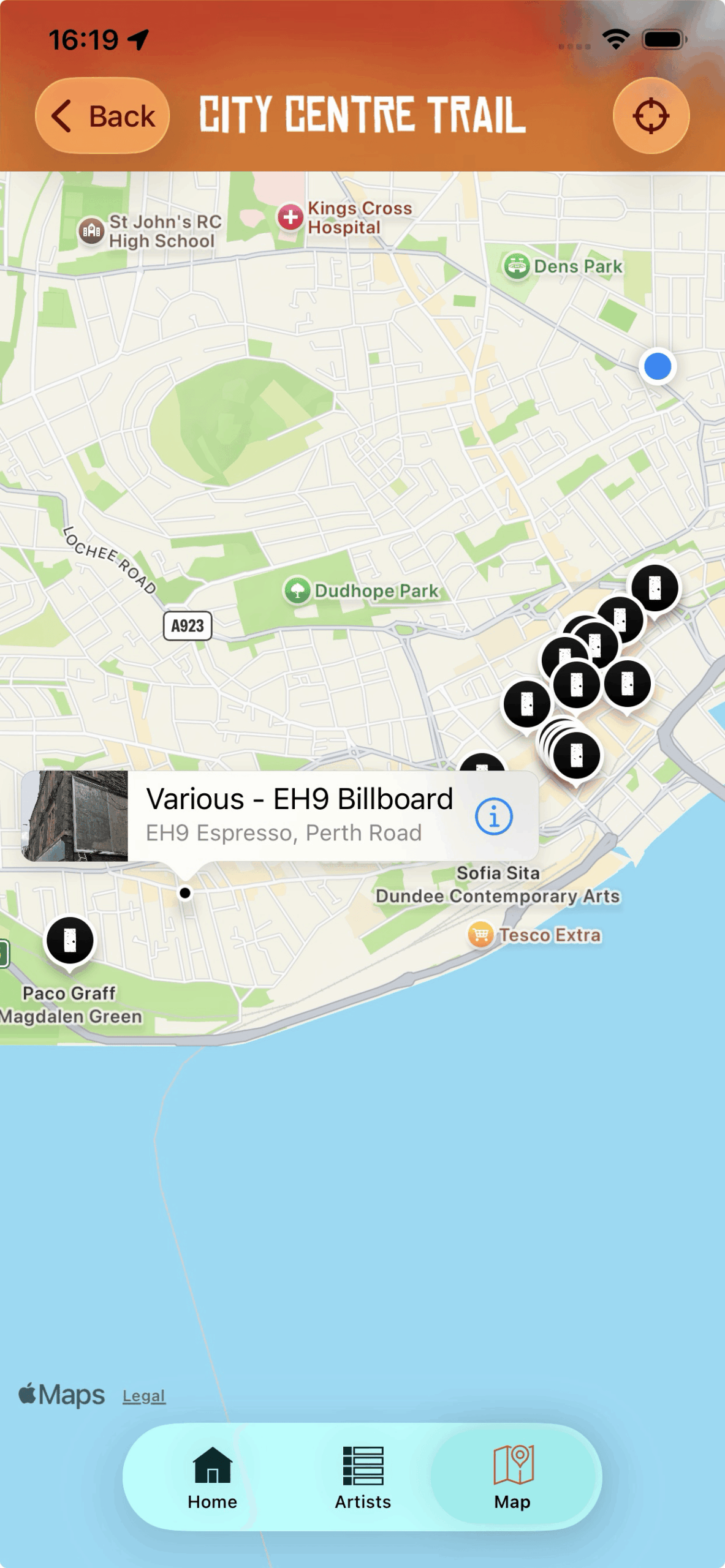
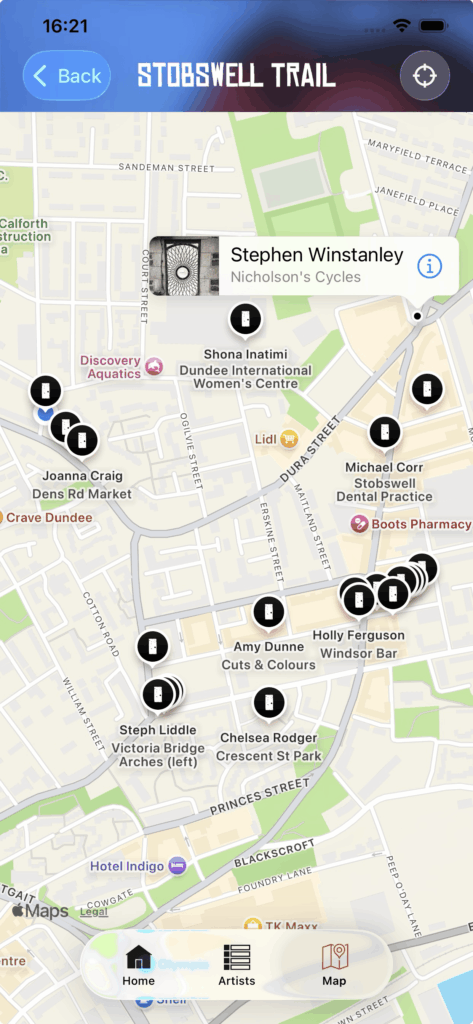
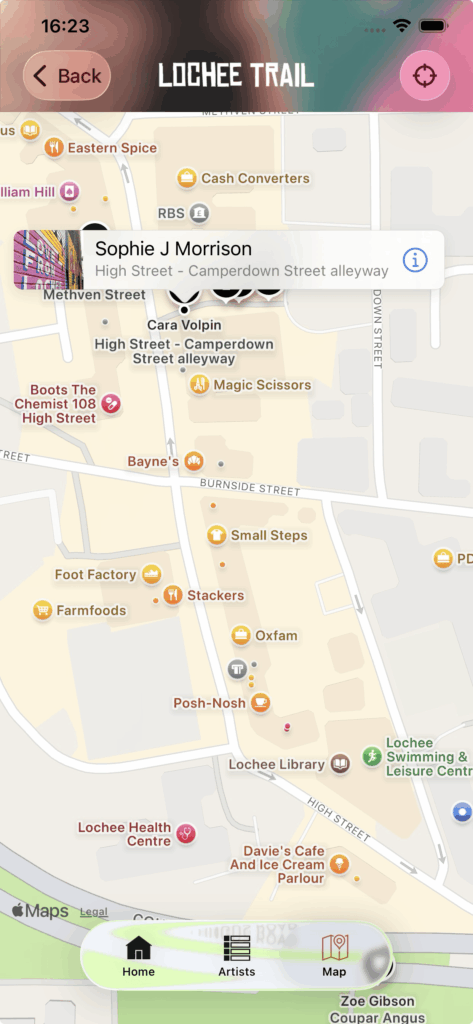
I recently did a minor update to the Open/Close iOS app that I made a few years ago to give it some visual compatibility with the new iOS 26 interface updates.

With this update I decided to make the app a free download from the App Store as I would prefer more people downloaded it and hopefully were encouraged to use it to go check out the Open/Close street art trails for themselves.

When I first built the app circa 2019 it was an opportunity for me to get some experience developing an iOS app, and I also thought that maybe if it sold enough copies of the app then I could donate a share of profits to the Open/Close project.

However, sales of the app have always been pretty low, so I’d rather people were able to download the app and find out more about the Open/Close trails, so please do download it if you’re interested in checking out the app and the Open/Close trails.

Download on the App Store

If you enjoy the app and more specifically you enjoy the Open/Close street art trails then do please consider donating to them and supporting the work they do.

Projects like Open/Close really do make a big difference to Dundee by “injecting life to the alleyways and forgotten corners of the city“, so follow Open/Close on Instagram, check out their website at openclosedundee.co.uk, and go check out the trails!

iPhone view of 2024

Here is my annual “iPhone view” video for 2024. All images were either taken directly with my iPhone, screenshot or copied onto it in 2024, these are then compiled together into approximately three minutes and 10 seconds.

The audio track is self-composed in GarageBand, with sound samples from a 1953 speech by W.E.B Du Bois.

This year the video is approximately 3 minutes and 10 seconds long.

There are now 15 years(!) of “iPhone view” videos in my “iPhone view…” playlist.

The Nokia Design Archive

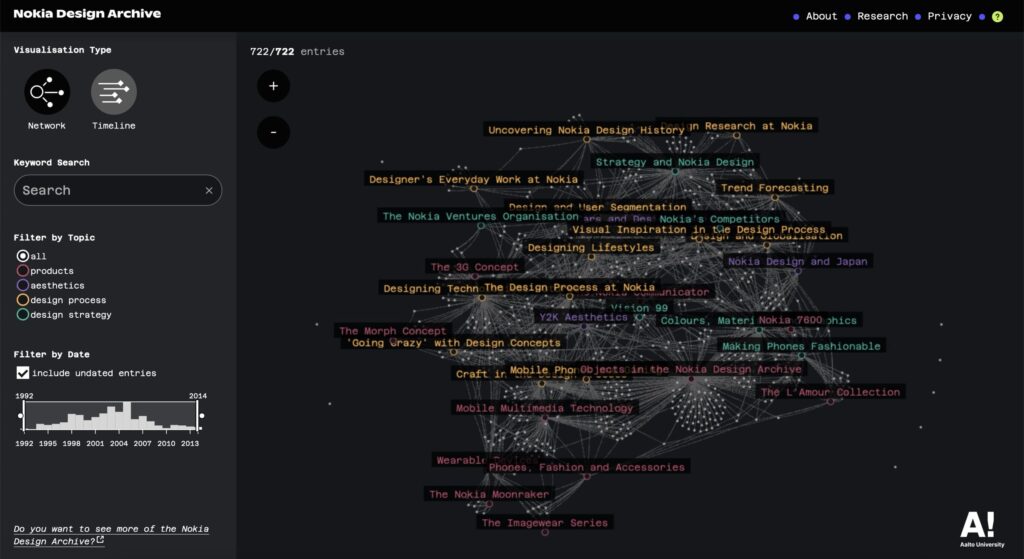
The Nokia Design Archive is a digital portal covering over 20 years of Nokia’s digital design history that has been pulled together and launched in January 2025 by Aalto University in Finland.

There is so much stuff there to explore such as sketches, photographs and videos, both publicly seen and behind the scenes work on the many, many devices that Nokia produced (and many that never saw the light of day):

https://nokiadesignarchive.aalto.fi

Screenshot of the interface of the Nokia Design Archive

I’ve written a few posts mentioning Nokia over the years on this site and I owned and enjoyed using quite a few of their mobile devices in the early 2000’s. In 2003, a few years before the iPhone disrupted many of the incumbent mobile device companies, Nokia stood out as being a company willing to try many different formats and ideas.

So much of what Nokia did was ahead of its time, but unfortunately also was ahead of the widespread, cheap mobile data access that we now take for granted. There is a ton of stuff in the archive to look through, but it’s a fantastic resource if you want to find out more about the design processes and thinking that was going at Nokia.

N-Gage

I wrote an article “Dis-N-Gaged” back in 2010(!) where I looked at the rise and fall of the N-Gage “mobile game deck”1, I loved the N-Gage device and still have mine and its original box along with Tony Hawk Pro Skater and Tomb Raider games. Mobile connectivity just wasn’t widespread and cheap enough to make some of the multi-layer or location-aware goals for this device a compelling reality.

This device was really impractical as a phone, but I loved it. It’s now proudly one of my favourite amongst the 12 “Handheld Heroes2 illustrations I made a few years ago:

N95, N80 and Symbian OS

Despite the demise of the N-Gage I still used Nokia phones for a few years before eventually getting an iPhone, the Nokia N80 and the Nokia N95 being a couple of my favourite devices.

The Symbian operating system these phones used was kind of like the linux of mobile phones, there was a lot of software available for them3 and Nokia had some interesting experimental software such as running the Apache webserver directly on your phone so you could make your phone serve up websites โ€“ why? I’m not really sure, but I loved that there was a lot of experimentation going on within Nokia’s world. It also worked well with Apple computers, you could sync calendars and contacts to it and easily copy of photos from the device to your Mac.

I think Blackberry often gets credited as being the defining mobile device before the iPhone came along, but I think that Nokia deserves much more credit for the massive impact and breaking of ground for mobile computing devices that it did in the early 2000s.

Nokia Push4 is a great example of their experimentation, this involved putting sensors on skateboards and snowboards to track the telemetry such as rotations, flips, height, speed etc. You could share your location, movements, tricks etc and “compete” with other people elsewhere in the world.


  1. “Mobile game deck” is how Nokia referred to the N-Gage devices rather than a mobile phone. โ†ฉ๏ธŽ
  2. I’ve made a few t-shirts and also an iMessage sticker pack for iOS devices โ†ฉ๏ธŽ
  3. Most games on mobile devices at that time were fairly expensive JAVA apps, limited by the lack of affordable mobile data. Also, remember WAP? I haven’t thought about that for a while! โ†ฉ๏ธŽ
  4. I wrote more about Nokia Push in this post: Nokia N-Gage โ€“ another โ€œHandheld Heroโ€. โ†ฉ๏ธŽ

The fourth quarter

When I was at art college one of my classmates, Stuart, did a film project where he got two of us to eat a whole chocolate cake each. He set up two cameras, one on each of us filming continuously as we ate the cake. These cakes were family sized cakes, extremely rich, chocolatey cakes with multiple kinds of chocolate all over the outside.

We started to eat the cakes, they were really delicious cakes, sweet and tasty. We both devoured the first quarter of the cake, no problem, this was an amazing thing to eat, super tasty.

The second quarter of the cake tasted great too, it was still nice to eat, by the end of this piece I was starting to feel quite full of cake.

On to the third quarter it started to feel slower going, chewing the cake was taking longer, the taste was a little too sweet now, my taste buds were no longer excited by the sugary taste. There was now a bit of reluctance when it came to putting mouthfuls of cake into my mouth, I would most definitely have been more than happy to stop eating cake at this point.

The fourth quarter, starting this piece I was definitely forcing myself to eat it, every spoon felt like putting something horrible into my mouth, the rich, sweet, sugar now making me feel sick the more I ate of it. My body reacting with every bite, as I chewed what was once tasty chocolate that now was like the grossest thing I could be putting in my body. Swallowing was slow, fighting the rising urge in my body to throw up. This fourth quarter took a long time to eat, there was no joy in the eating now, compelled to eat it as the aim was to finish the whole cake and get it done.

This experience describes how work projects seem to go sometimes, I enjoy the work I do, but every so often thereโ€™s a โ€œfourth quarterโ€ and it becomes extremely hard going, trying to get through those final mouthfuls of cake.

What if I bought Apple stock instead?

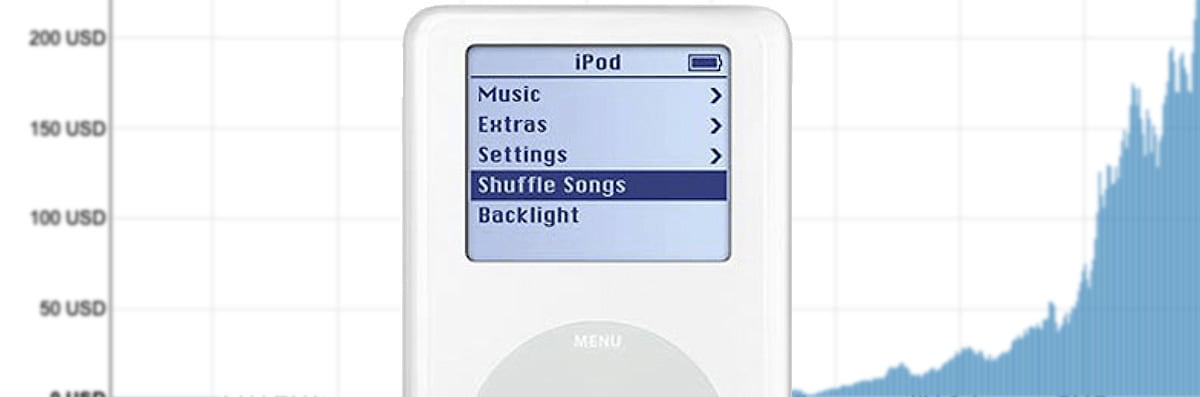
This little tool is something I threw together after realising that it was 20 years since I bought my first iPod, it was a 40GB iPod and cost about ยฃ3001 at the time if I recall correctly. The thought occurred to me, “what if I had invested that ยฃ300 in shares in Apple instead of buying that iPod?” The result2 is this tool:

apple
2004
2024
What if I bought Apple stock instead?

What if instead of buying that Apple product in 2004 you had bought stock in the company instead? Enter the price you paid in 2004 for the product you bought to see how much money the stock would be worth in 2024:

$
$

How is this calculated? Using approximate data from historical stock prices sources such as Yahoo Finance and Digrin.

  • In October 2004 the cost of 1x Apple share was approximately $60
  • In October 2024 the cost of 1x Apple share is approximately $231
  • The cost of the product entered is divided by the 2004 amount to give us a number of shares, this is rounded down to get a whole number of shares for simplicity
  • The stock split three times between 2004 and 2024, 2:1 in 2005, 7:1 in 2014 and 4:1 in 2020, so the amount of stocks is adjusted based on these splits to get the total amount for today.

  1. This converts to approximately $540USD at the exchange rate of that time, the cost of the 40GB iPod was about $400USD (+ taxes) at that time. โ†ฉ๏ธŽ
  2. The result is this slightly depressing thought exercise! ๐Ÿคฆ๐Ÿปโ€โ™‚๏ธ I’ve used USD at it was easier to get historical share prices in USD, but you get the idea. โ†ฉ๏ธŽ

AI Bots: Disallow

I wrote a post recently “Should WordPress block AI bots by default?” with some thoughts about whether WordPress should be blocking AI bots via the robots.txt file by default.

Since writing that I decided that rather than just talking about it I should go ahead and submit some updated code to the WordPress project that does exactly that. I’ve done WordPress development for 14+ years, whilst I’ve created my own plugins and added them to the WordPress plugin repository I’ve never submitted anything to the core codebase before, so it was an interesting process to go through to get a bit of experience of that.

I’m not going through the various steps in detail to do this, but basically it involves forking the WordPress codebase on Github, making the changes in a local development environment, pushing some code to Github and making a Pull Request for those changes.

Whilst the code change is pushed to Github you also need to make a ticket in WordPress Trac ticketing system that is used to track code issues like bugs, updates and feature requests. I created a new Trac ticket for the PR but as it turns out a similar idea had been previously suggested in this Trac ticket so mine has been marked as duplicate to this original one.

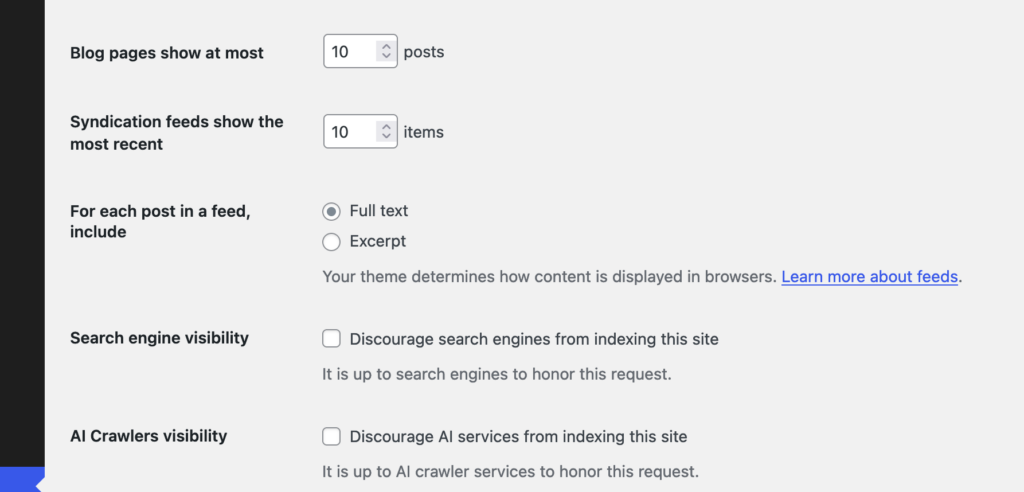
This original ticket has some good ideas in it, although no code has been written so I’m glad to have submitted a PR along with it. I do also think my argument for this are a bit more forceful in my ticket compared to the original, I really do think this should be added. However, I am approaching this from the perspective of trying to create some discussion around this, so I don’t at all expect that the code in my PR is exactly the way this feature should work. In the original Trac ticket the suggestion is to have another checkbox in the “Reading” options in WordPress, “Discourage Al services from indexing this site” which I think makes perfect sense.

I did wonder whether there should be any specific way to manage the list of AI Bots though, whilst the “discourage search engines…” option is similar there is a difference. In the ‘robots.txt’ file it only takes a couple of lines to block all search engine user agents:

User-agent: *
Disallow: /

So if you wanted to block all search engines and AI bots you could use just those couple of lines, but presuming you still want search engines to index your site1 you need to specifically list all of the AI bot user agents to be blocked, something like this should block most known AI bots (at the time of writing in October 2024 anyway):

User-agent: AI2Bot
User-agent: Ai2Bot-Dolma
User-agent: Amazonbot
User-agent: anthropic-ai
User-agent: AlphaAI
User-agent: Applebot
User-agent: Applebot-Extended
User-agent: Bytespider
User-agent: CCBot
User-agent: ChatGPT-User
User-agent: Claude-Web
User-agent: ClaudeBot
User-agent: cohere-ai
User-agent: Diffbot
User-agent: FacebookBot
User-agent: facebookexternalhit
User-agent: FriendlyCrawler
User-agent: GPTBot
User-agent: Google-Extended
User-agent: GoogleOther
User-agent: GoogleOther-Image
User-agent: GoogleOther-Video
User-agent: iaskspider/2.0
User-agent: ICC-Crawler
User-agent: ISSCyberRiskCrawler
User-agent: ImagesiftBot
User-agent: img2dataset
User-agent: Kangaroo Bot
User-agent: Meta-ExternalAgent
User-agent: Meta-ExternalFetcher
User-agent: OAI-SearchBot
User-agent: omgili
User-agent: omgilibot
User-agent: PerplexityBot
User-agent: PetalBot
User-agent: Scrapy
User-agent: Sidetrade indexer bot
User-agent: Timpibot
User-agent: VelenPublicWebCrawler
User-agent: Webzio-Extended
User-agent: YouBot
Disallow: /
2

It’s possible users might want to allow certain ones, and disallow others so the original Trac ticket also suggests that this list could be filterable so that plugins etc could modify this list.

I don’t think adding any kind of UI beyond the checkbox to core would be desirable as it’s exactly the kind of extension of functionality that plugins are intended for. The basic feature of blocking AI bots will work and if users need more they can find a plugin or write their own code to do what they need. One consideration is whether this list of default AI bots should get updated outwith the regular core WordPress development cycle, but the amount of new AI bots appearing probably(?) isn’t that frequent and there are fairly common interim point updates in the WordPress development cycle that would allow this block list to be updated.

If you’re reading this and think it’s an enhancement worth supporting then please do leave a comment on the original Trac ticket if you can, or reshare this post anywhere you think might help draw attention to it.


  1. I acknowledge there is a lot of discussion about whether blocking AI bots will one day have the same impact that blocking search engines from your site does now in that you basically won’t show in any search engine results. The intention of blocking AI bots by default is so that users can make an informed choice about how their content is used. โ†ฉ๏ธŽ
  2. These are the droids we are looking for? โ†ฉ๏ธŽ

Dookie Demastered

I’m not particularly into Green Day but this is pretty great, “Dookie Demastered” is their response to the usual “remastering” and re-release of albums when they reach certain age milestones, in this case it’s 30 years since their album “Dookie” was released:

https://www.dookiedemastered.com

Basically the album was “re-exploded onto 15 obscure, obsolete, and otherwise inconvenient formats“, from a wax cylinder to game boy cartridge, floppy disk and an electric toothbrush.

I love the Handheld heroes-esque nature of this, including the great line drawing near the bottom of the site which shows all of the formats.

Should WordPress block AI bots by default?

Iโ€™ve been thinking a lot about AI recently, thereโ€™s definitely a lot of great uses for it and I use ChatGPT quite regularly. Despite it being a useful tool Iโ€™m very aware that a lot of content used to train AI models has just been slurped up without any user consent being given.

Microsoft’s AI CEO Mustafa Suleyman said at a conference back in April:

“With respect to content that is already on the open web, the social contract of that content since the 90s has been that it is fair use. Anyone can copy it, recreate with it, reproduce with it. That has been freeware, if you like. That’s been the understanding,”

So his perspective is that content which has been shared publicly on the web is available to be used for AI training by default, unless the publisher specifically says otherwise that it should not be used. Iโ€™m pretty sure copyright law disagrees with his take but there you go.

So with this stance in mind I have been giving it some thought and wondering if any consideration had been given to including any AI bot blocking in the standard ‘robots.txt’ file for WordPress? It might seem a little like โ€œclosing the gate after the horse has boltedโ€ seeing as so much content has already been consumed, but people are still publishing content, more and more every day.

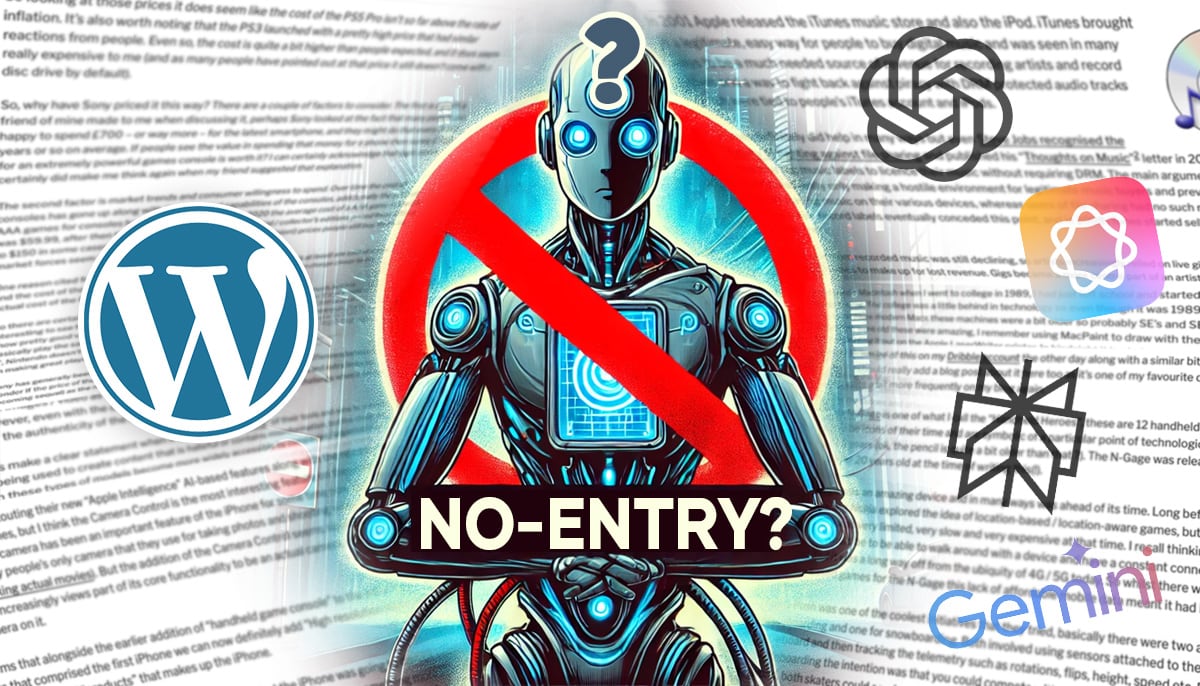
An AI bot image generated by AI? 1

My perspective is that having AI bots blocked by default in WordPress would be a strong stand against the mass scraping of peopleโ€™s content for use in AI training without their consent by companies like OpenAI, Perplexity, Google and Apple.

Iโ€™m aware that plugins already exist if people wish to block these but this is only useful for people who are aware of the issue and choose to block it, whereas consent should be requested by these companies and given rather than the default being that companies can just presume itโ€™s ok and scrape any websites that donโ€™t specifically say โ€œnoโ€.

Having 43%+ of websites on the internet suddenly say โ€œnoโ€ by default seems like a strong message to send out. I realise that robots.txt blocking isnโ€™t going to stop any of the anonymous bots that do it but at least the legitimate companies who intend to honour it will take notice. With the news that OpenAI is switching from being a non-profit organisation to a for-profit company I think a stronger stance is needed on the default permissions for content that is published using WordPress.

So whilst the default would be to block the AI bots there would be a way for people / publishers to allow access to their content by using the same methods currently available to modify ‘robots.txt’ in WordPress, plugins, custom code etc.

Thatโ€™s my perspective / thought process anyway, Iโ€™m curious to see what otherโ€™s thoughts are.


  1. The potential irony of using partially AI generated imagery as the main feature image in this particular post is not lost on me. The mass-scraping of images and video is possibly an even bigger issue than content-scraping of websites in regard to mass-copyright violation. โ†ฉ๏ธŽ